Applies to: SureCartHub mobile app
Browsing, searching and filtering lists is free – you only need a connected store token. A SureCartHub license is not required to open the filter sheet, narrow results or clear filters. Licenses unlock creating, editing and deleting records, plus push notifications.
Open filters
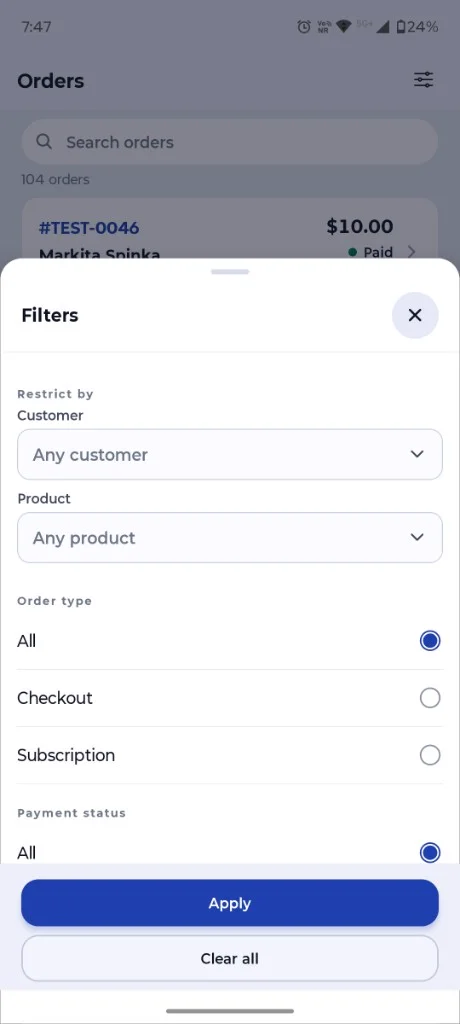
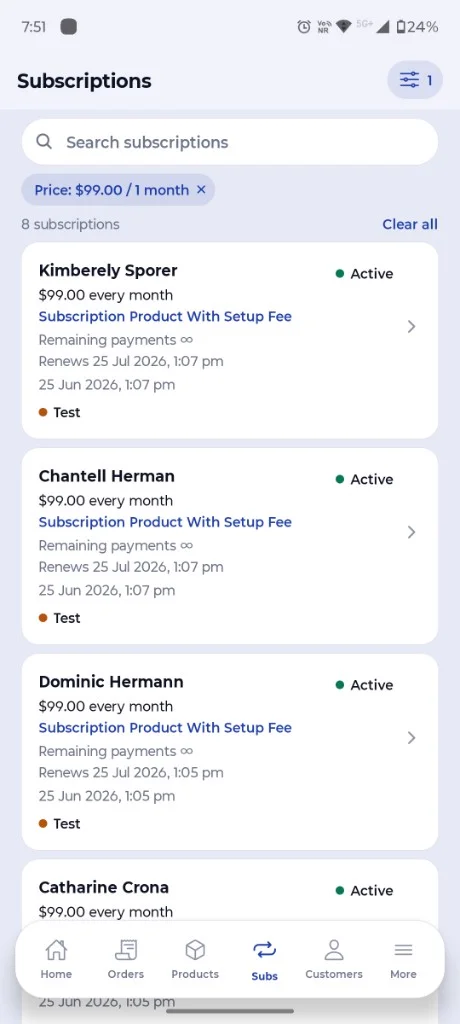
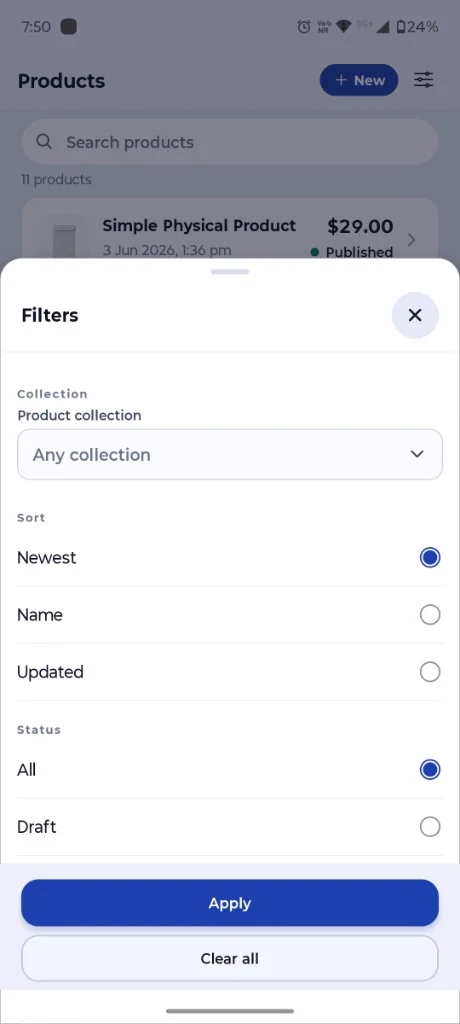
On any list screen that supports filters (Orders, Products, Subscriptions and more), tap the filter icon in the top-right corner. A bottom sheet opens with your options. Choose values, then tap Apply. Active filters appear as removable tags below the search bar; tap Clear all to reset.
Advanced order filters
On the Orders tab, filters help you find the checkout you need quickly:
- Restrict by – customer or product
- Order type – all, checkout or subscription
- Payment status – paid, unpaid and more
- Fulfillment – fulfilled, unfulfilled or partially fulfilled
- Mode – live, test or all
Subscription filters
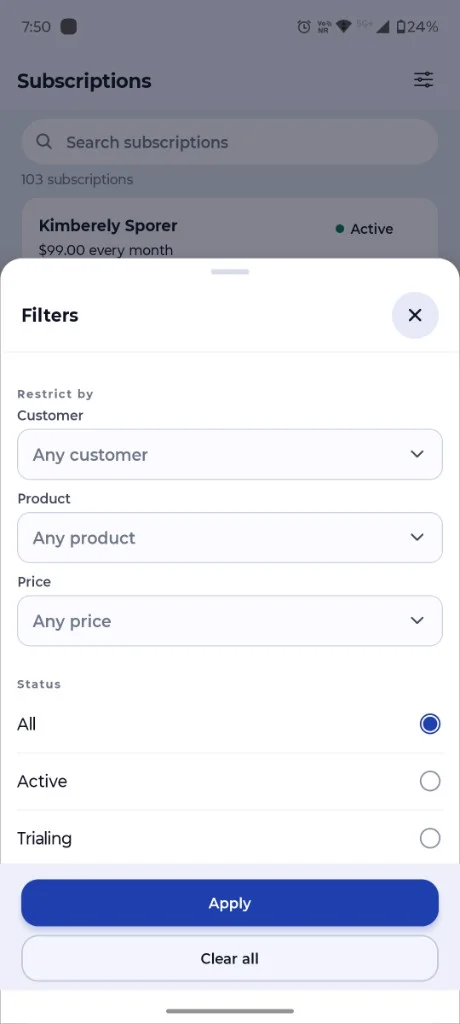
On the Subscriptions tab, narrow recurring revenue by customer, product or a specific price:
- Restrict by – customer, product or price
- Status – active, trialing, past due, canceled and more
- Mode – live, test or all
Applied filters show as blue tags on the list. For example, filtering by price displays a chip such as Price: $99.00 / 1 month so you always know what is active.
Product filters
On the Products tab, sort and narrow your catalog:
- Collection – any collection or a specific product collection
- Sort – newest, name or updated
- Status – all or draft
Tip
Combine search with filters for precise results – e.g. search a customer name and filter orders to Subscription type to review recurring purchases only. Then tap an order to see full details – see Viewing order details. On the Subscriptions tab, tap any card for recurring billing info – see Viewing subscription details.

